Squinting at tiny cards ruins a good game of solitaire. That is exactly the problem Vita Studio set out to fix, and the download is free on both phones and tablets. This guide walks you through the whole process, from checking your device to changing the first few settings so the game is comfortable from the very first hand.
What Makes Vita Solitaire Different From Other Card Apps
Most solitaire apps are built for young thumbs and sharp eyes. This one is not. Vita Studio, a Singapore-based developer, builds a whole range of senior-friendly titles including Vita Mahjong, Vita Jigsaw and Vita Word Search, and the design choices show it.
Oversized Cards and Large Fonts
The headline feature is card size. Suits and numbers are printed large enough to read at arm’s length, which matters if you play on a phone rather than a tablet. Nothing is cramped into the corners the way it is in a standard Klondike app.
Accessibility Options Worth Knowing About
There is a colorblind mode that changes how suits are distinguished, a left-handed mode that shifts the deal pile to the other side, and a dark mode for evening play. These are small touches, but they are the reason the app holds a rating close to 4.9 stars across hundreds of thousands of reviews.
Offline Play and Daily Challenges
Once installed, the game works without an internet connection, so a weak Wi-Fi signal in the back bedroom is not a problem. Daily and weekly challenges give you a reason to open it regularly, and unlimited undo means a bad move never ends the game.
Before You Install: What Your Device Needs
Checking compatibility first saves a frustrating five minutes at the store page. The requirements are modest, and most phones bought in the last seven or eight years will run it without trouble.
Android Requirements
You need Android 7.0 or newer. To check, open Settings → About phone → Android version. If your tablet is older than that, the store will simply tell you the app is not compatible rather than letting you download something that will not run.
iPhone, iPad and Mac Requirements
On Apple devices you need iOS 15 or later, which covers the iPhone 6s and newer. iPads running iPadOS 15 and up work too. There is also a Mac version, though it needs macOS 12 and an Apple Silicon chip, so older Intel Macs are out.
How to Install Vita Solitaire on Android
The Android version has been downloaded well over eight million times, and getting it is a four-tap job. This is the safest and simplest route.
Step-by-Step Google Play Install
- Open the Google Play Store on your phone or tablet.
- Tap the search bar and type Vita Solitaire for Seniors.
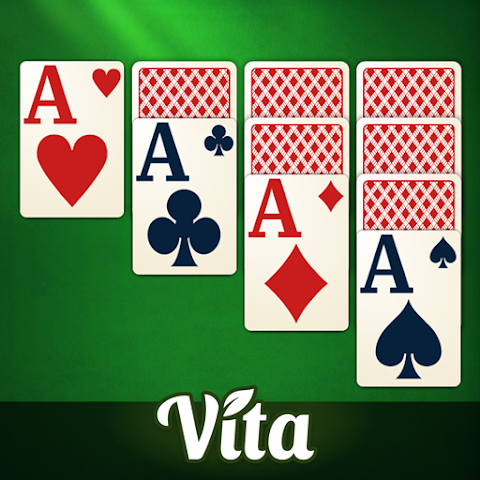
- Look for the listing by Vita Studio with the green and gold card icon.
- Tap Install and wait for the progress circle to finish.
- Tap Open, or find the new icon on your home screen.
If you are helping a parent or grandparent over the phone, tell them to look for the developer name rather than the artwork. Several lookalike card apps use similar icons.
Why You Should Skip APK Download Sites
Search results often push third-party APK files, and it is tempting to grab one if the Play Store is being slow. Do not. Those files are repackaged by strangers, they do not receive updates, and they are a common route for adware on Android tablets. The official listing is free anyway, so there is nothing to gain.
How to Install Vita Solitaire on iPhone and iPad
Apple users get the same game with a slightly different setup flow. It first appeared on the App Store in 2023 and has picked up more than 400,000 ratings since.
Step-by-Step App Store Install
- Open the App Store and tap Search at the bottom right.
- Type Vita Solitaire for Seniors and hit search.
- Confirm the developer is listed as VITA STUDIO PTE. LTD.
- Tap Get, then approve with Face ID, Touch ID or your Apple Account password.
- Wait for the icon to appear on the home screen and tap it to launch.
Helping Someone Install It Remotely
If you are setting this up for a relative who lives elsewhere, use Family Sharing or simply send them the App Store link in a text message. Tapping the link opens the correct listing directly, which removes the search step where most mistakes happen.
First-Time Setup: Settings to Change Straight Away
The default settings are fine, but three minutes of adjustment makes a real difference to comfort. Open the gear icon on the main menu before your first game.
Make the Cards Even Easier to Read
Inside the settings you can switch card faces to a high-contrast style and turn on larger numerals. If red and black suits blur together, enable colorblind mode even if you have never been diagnosed as colorblind. It adds distinct symbols that many older players find easier to track.
Understanding the Ads
The download is genuinely free, but the game is funded by advertising, and banner ads sit near the play area between hands. This is the single most common complaint in reviews. There is a paid VIP option that removes them entirely, and it is worth considering if you play daily. Playing in airplane mode also cuts most ads, since the app runs offline.
Common Install Problems and How to Fix Them
Installs fail for boring reasons far more often than technical ones. These two cover almost every case.
Download Stuck or Failing
Nine times out of ten this is storage. Check that you have at least 300 MB free, clear a few old photos or videos, then try again. If the bar still will not move, go to Settings → Apps → Google Play Store → Storage and clear the cache, then restart the device.
The Game Crashes or Will Not Open
A fresh install that closes immediately usually means the operating system is out of date. Run any pending system updates, restart, and launch again. If it still fails, delete the app and reinstall it rather than repeatedly tapping the icon. Nothing is lost, as progress is tied to your account.
Frequently Asked Questions
Is Vita Solitaire really free to download?
Yes. The download costs nothing on both Google Play and the App Store, and you can play every mode without paying. Revenue comes from banner ads and an optional VIP subscription that removes them. There is no paywall blocking levels or challenges.
Can I play without an internet connection?
You can. After the initial install, the game runs fully offline, which makes it useful on flights, in hospital waiting rooms, or anywhere the signal is poor. You only need a connection to sync challenge progress and to see the daily leaderboard.
Has anything changed for the 2026 download?
The installation steps are unchanged. If you are downloading Vita Solitaire in 2026, use the same Play Store or App Store route described above. Store listings update automatically, so you will always receive the current build without hunting for a version number.
Is it safe for an older relative to install alone?
Yes, provided they download from the official store rather than an APK site. The app carries an Everyone content rating and requests no unusual permissions. The main risk is tapping an ad by mistake, which is annoying rather than dangerous.
Does it work on a tablet as well as a phone?
It does, and a tablet is arguably the better choice. The larger screen gives the oversized cards room to breathe, and the layout adjusts automatically. Both Android tablets running 7.0 or later and iPads on iPadOS 15 or later are supported.
Final Thoughts
Getting Vita Solitaire onto a phone or tablet takes under two minutes, and the only real decision is which store you are using. Search the official listing, check that Vita Studio is named as the developer, tap install, and you are done. Skip the APK sites entirely, because the official version is free and safer.
Spend a few minutes in the settings menu afterwards. Turning on high-contrast cards and adjusting the card size turns a decent solitaire app into one you can comfortably play for an hour without eye strain. If ads become tiring, airplane mode is a free workaround before you consider the VIP option.